Examples
See what the agent delivered.
A Shaka-guided PR brings the result and the evidence together. Start with the live record: Shaka's own pull requests and other ShakaStack projects. Then read one annotated before-and-after example.
Live examples
Watch Shaka build Shaka.
Shaka is developed with Shaka, in public. The newest merged PRs and commits below load live from GitHub. Each PR links straight to the four parts worth reading, in order.
- Description
The recommendation, intent, and what was verified.
- Code Walkthrough
The change explained, with links to the lines.
- Code Review
Independent review rounds and what they fixed.
- Checkpoint
Whether this was the right thing to build.
Loading the latest activity from GitHub…
Across ShakaStack
Other ShakaStack projects use Shaka for everyday maintenance. Each link lists that repository's merged Shaka PRs, newest activity first.
- React on Rails
Rails and React integration with server rendering. Features, fixes, and release work.
- React on Rails + TanStack starter
The ShakaStack starter app. UI changes come with desktop and mobile screenshots.
- Control Plane Flow
Heroku-style review apps, staging, and promotion on Control Plane.
- React Webpack Rails Tutorial
The long-running React on Rails tutorial app and live demo.
- ShakaPerf
Branch-versus-main performance and visual testing. Source-available, not open source.
Real pull request
Instant Navigation Lab
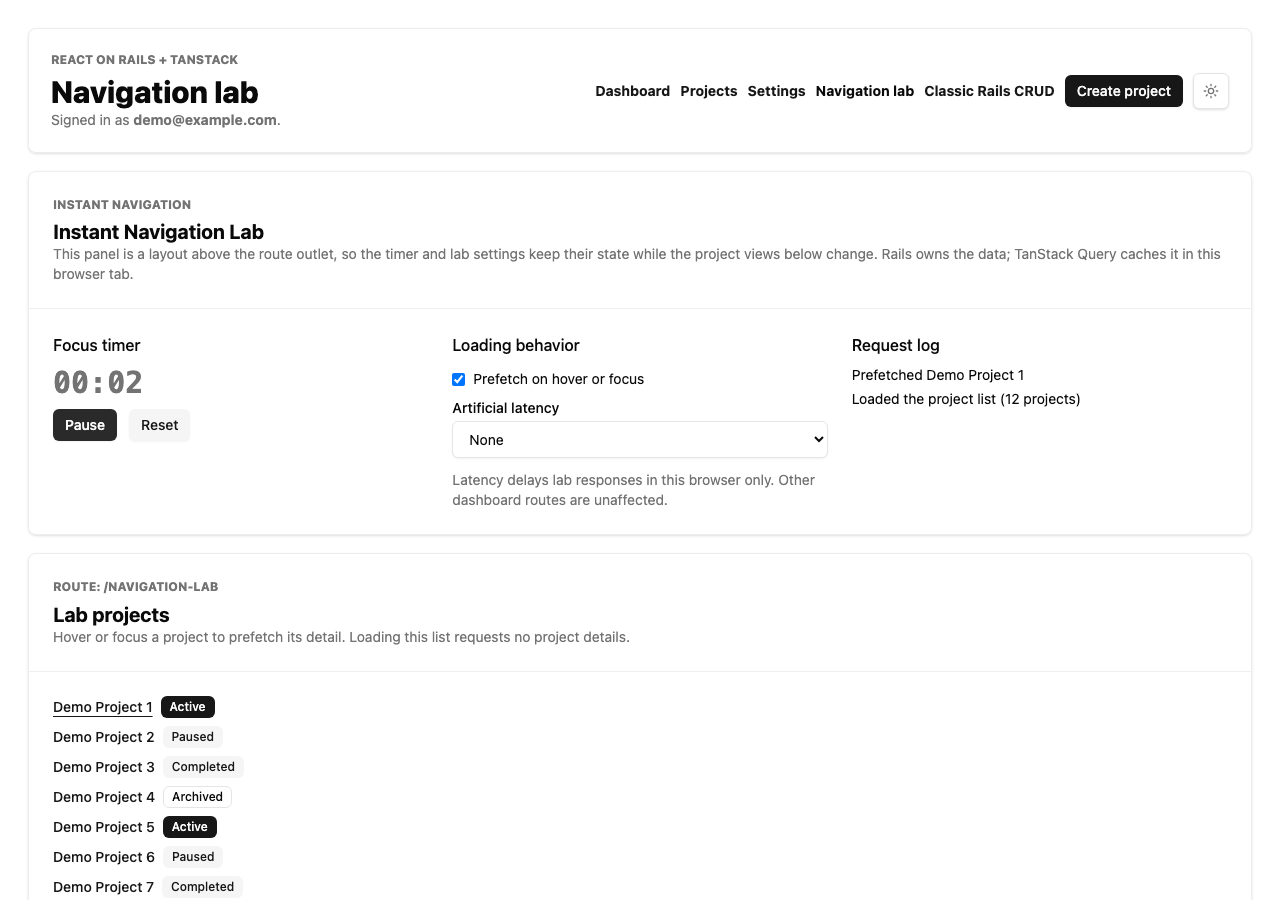
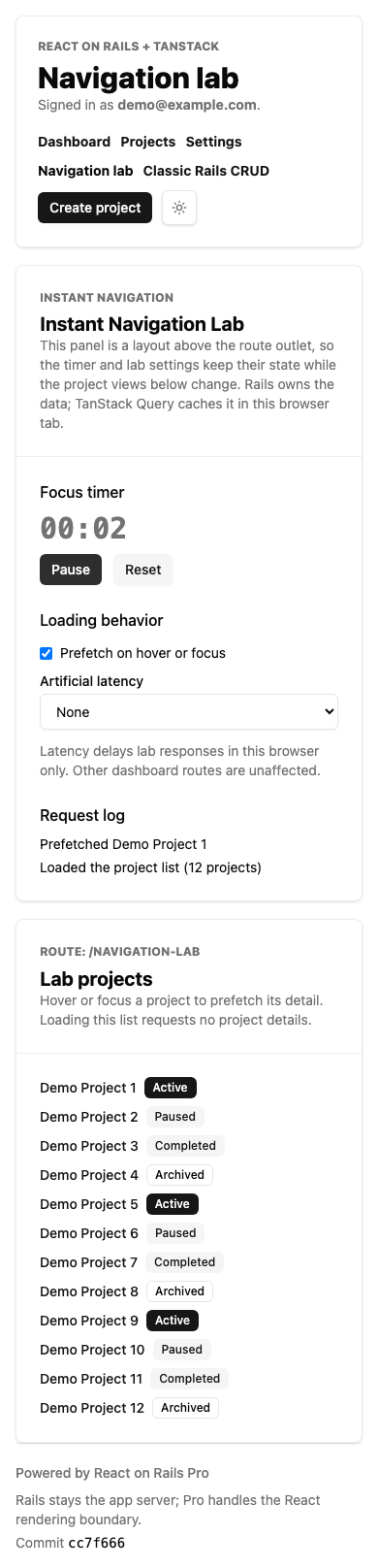
The task added a signed-in navigation lab with a project list, a persistent focus timer, and prefetching on hover or focus. It comes from the React on Rails + TanStack starter app, and the images are published in the PR screenshots comment. The PR shows the starting dashboard, the new link, and the new experience at desktop and mobile widths.
Before and after
On the starting branch, the dashboard had no Navigation lab link.


The new experience
These captures show the lab after hovering a project. The timer is running, and the request log records a prefetch and the list load.
Evidence alongside the images
The historical screenshot comment records the manual UI checks alongside these captures. Read the source comment and pull request for the tested revision, reported results, code walkthrough, and automated checks.